To ensure safe and smooth transactions, Truelancer requires users to complete a one-time, two-step card verification after making a payment.
All documents shared for verification are handled securely and kept confidential by Truelancer. Your card details should always be shared in masked format, and sensitive information like CVV, PIN, OTP, or full card number should never be shared.
Why Card Verification Is Required
Card verification helps Truelancer:
- Prevent unauthorized card use
- Reduce payment failures
- Avoid transaction delays
- Protect cardholders
- Reduce fraud and chargebacks
- Keep the platform safe for all users
How to Complete Card Verification
After completing your payment on Truelancer, send the required documents by email to:
Use this subject line:
Card Verification Request
Step 1: Attach a Masked Card Image
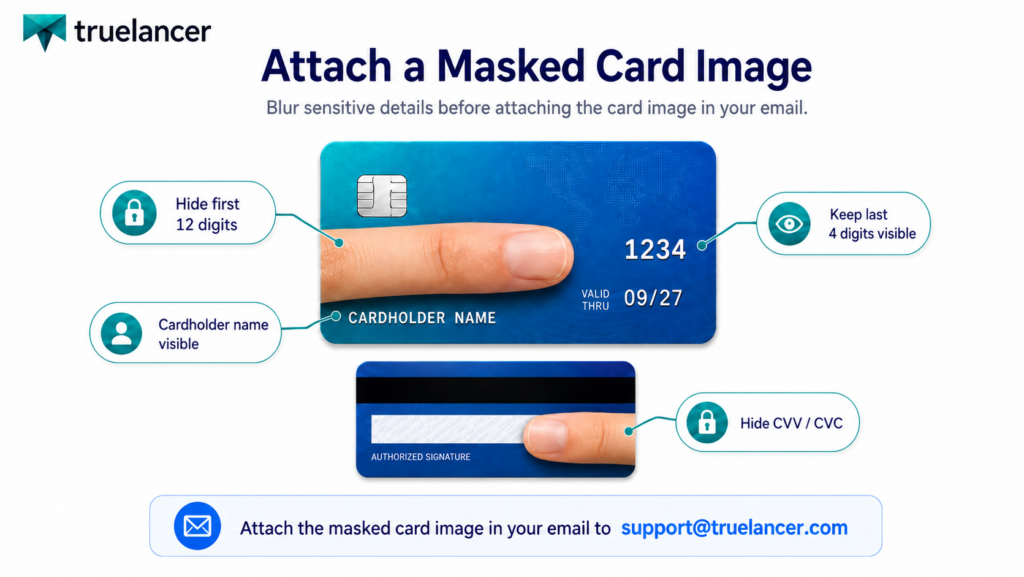
Attach a clear image or screenshot of the card used for payment.
Before attaching the image, make sure:
- First 12 digits of the card are hidden
- Only the last 4 digits are visible
- Cardholder name is clearly visible
- CVV/CVC is fully hidden
- Expiry date may remain visible
Correct Format
XXXX XXXX XXXX 1234
Cardholder Name: Visible
CVV/CVC: Hidden
Do not share your full card number, CVV, PIN, OTP, or banking password.
Step 2: Attach Government-Issued ID
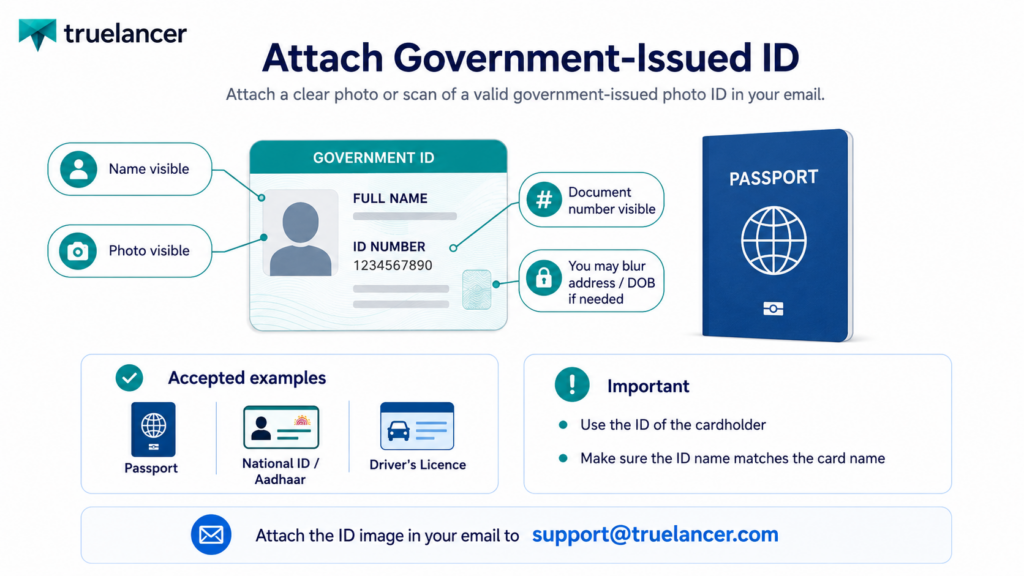
Attach a valid government-issued photo ID of the cardholder.
Accepted documents may include:
- Passport
- National ID / Aadhaar Card
- Driver’s Licence
- Equivalent government-issued ID
Your ID should clearly show:
- Full name
- Photo
- Document number
The name on the ID should match the name on the card.
You may hide sensitive details like address or date of birth, but the name and photo must remain visible.
Email Format
Subject: Card Verification Request

Hello Truelancer Support Team,

I have completed a payment on Truelancer and would like to complete my card verification.

Registered Email:
Username/Profile Link:
Payment Amount:
Payment Date:
Payment Purpose:
Last 4 Digits of Card:

I have attached my masked card image and government-issued ID for verification.

Thank you.
Final Note
Please attach the required documents directly in the email and send them to support@truelancer.com. Truelancer will review the details and complete the verification to help ensure safer, smoother payments.